
Jack Frost Design - The Digital Agency
Have a question about AI Safe Zones or creating your own Strategic Relational AI? - Schedule a Conversation

Microsoft 365 Is Not Automatically an Intranet.
Cloud tools are not the same thing as a structured operating environment.
Many organizations moved into Microsoft 365 quickly.
Files were migrated. Teams was turned on. OneDrive became available to employees. Existing permissions were often preserved because the immediate goal was simple: keep the company operating while people worked remotely.
That was a rational response to an urgent problem.
But cloud collaboration is not the same thing as a structured intranet.
A lift-and-shift migration can move old file-share habits, unclear ownership, inherited permissions, duplicate files, and informal document practices into Microsoft 365. The company may now have SharePoint, Teams, OneDrive, Planner, Outlook, and Copilot licenses, but still lack a coherent operating structure for its information.
That matters for daily operations… and it matters even more for AI.

Cloud Collaboration Without Structure Creates Hidden Risk
Microsoft 365 gives organizations powerful tools.
But tools do not create structure by themselves.
Without a true intranet architecture, employees improvise. Critical company documents may end up in personal OneDrive accounts. Teams channels may become filing systems. SharePoint sites may appear without clear ownership. Documents may be shared through broad links because it is easier than designing the right library and permissions structure.
The company may still function.
Documents move. Meetings happen. Employees find workarounds.
But underneath the surface, the organization may be operating from a weak information structure. That weak structure slows onboarding, increases training time, creates version confusion, and makes it harder for management to know where important departmental knowledge actually lives.
When AI enters the environment, the risk becomes larger.
Copilot works from the permissions, sites, files, groups, and content relationships already present in Microsoft 365. If the environment is chaotic, AI inherits the chaos.
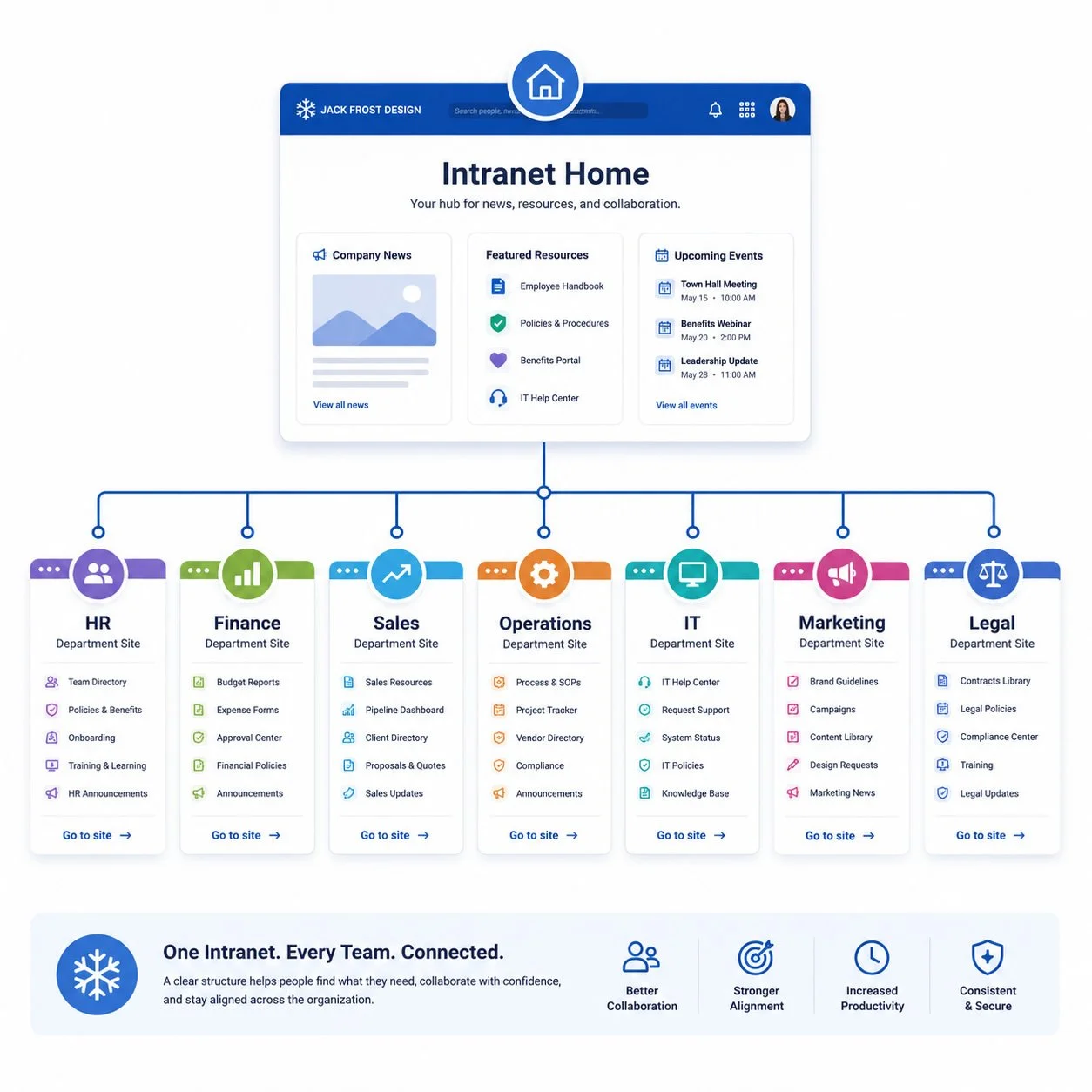
What a Modern Intranet Actually Is
A modern intranet is not just a company homepage.
It is the operating architecture of the organization inside Microsoft 365.
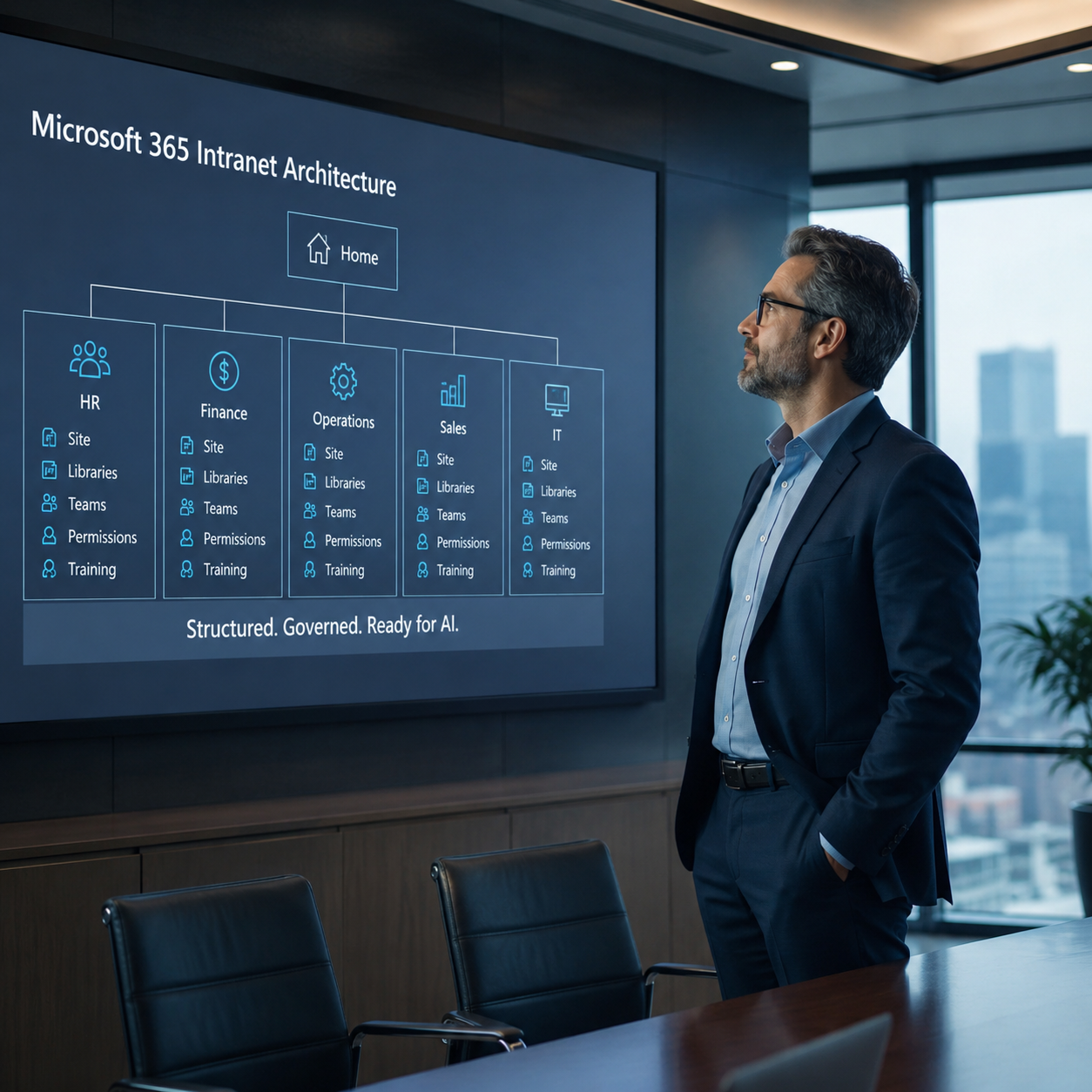
At the top, there may be a corporate home or hub site for company-wide communication, announcements, employee resources, forms, policies, events, and navigation.
Beneath that, each department should have a structured place to work.
A department site can provide a consistent home for announcements, calendars, task lists, forms, templates, procedures, reports, dashboards, and department-owned document libraries. It can also connect to Microsoft Teams so the department has a practical collaboration space tied to the same business structure.
The key is not complexity.
The key is repeatable structure.
Finance, HR, Sales, Operations, IT, and Facilities may each manage different work, but they should not each have to invent a different way to organize information. A well-designed intranet gives every department a familiar pattern that is easier to train, easier to govern, and easier to support.

A Cheaper Way to Run Daily Work
Most companies do not need a complicated system to run daily departmental operations.
They need clear places for employees to find the right documents, use current forms, follow approved procedures, see announcements, track work, and collaborate with the people in their department.
Without that structure, each department invents its own method.
Some work from email attachments. Some rely on personal OneDrive folders. Some use old shared drives. Some create Teams channels without clear ownership. Some share documents broadly because it is faster in the moment.
That workaround culture becomes expensive.
It slows onboarding. It increases training time. It makes document ownership unclear. It creates uncertainty about which version of a file is current. It also makes it harder for management to know where important departmental knowledge actually lives.
A structured intranet gives the department a practical operating base.
Managers get a better way to run the department. Employees get a clearer way to work. IT gets a more governable environment. Leadership gets a more reliable foundation for the company’s knowledge.
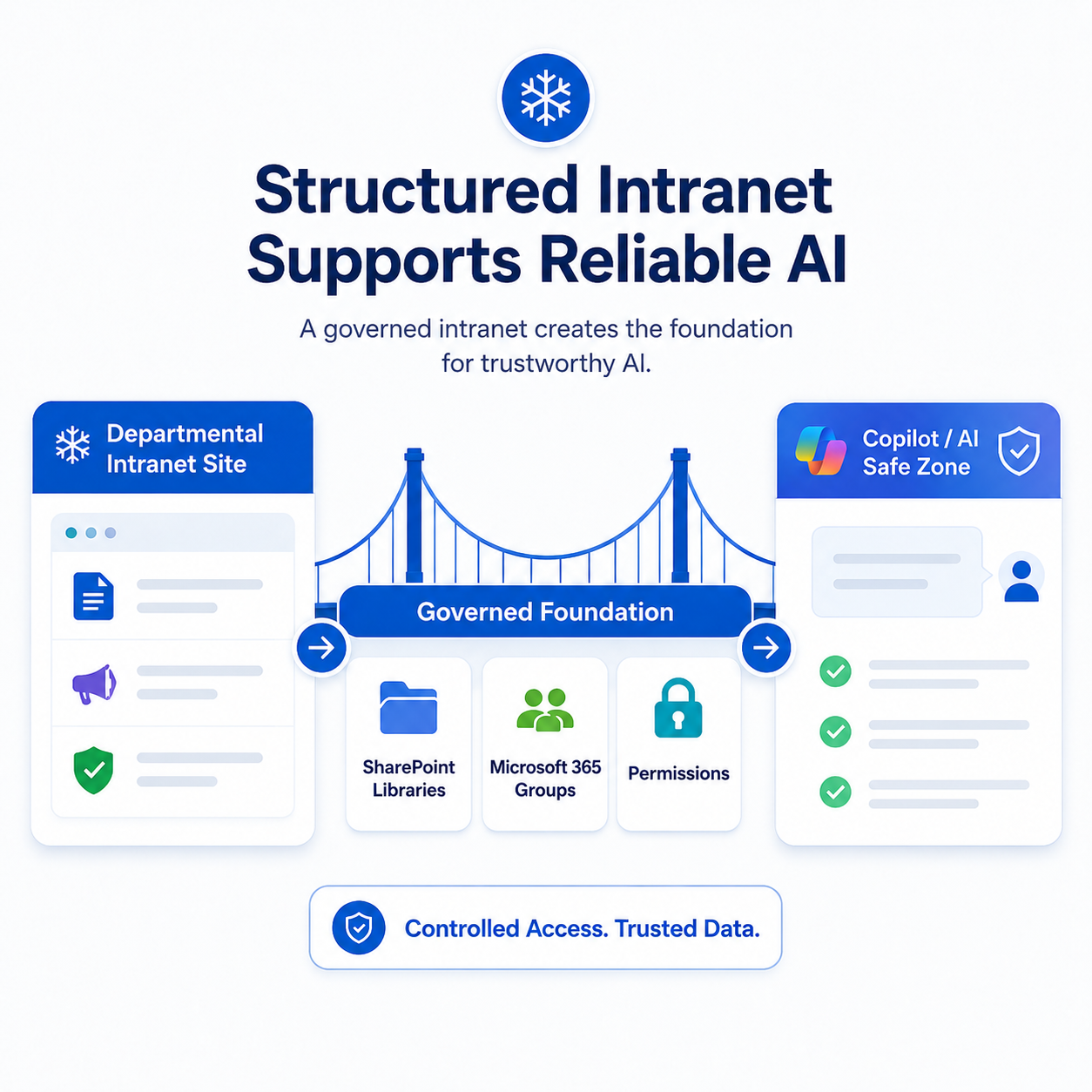
Better Structure Means Better Copilot
Before AI, a structured intranet helped employees find information.
Now it helps AI reason from the right information.
Copilot does not automatically know which documents are official, which folders are obsolete, which files are drafts, or which libraries should be trusted.
It works from the structure already present in Microsoft 365.
A modern intranet gives the organization a cleaner foundation. Departmental sites create defined business areas. Microsoft 365 groups help establish access boundaries. SharePoint libraries give departments controlled places to manage the documents they are responsible for. Teams can support daily collaboration without becoming the only place where company knowledge lives.
This is why intranet structure is now part of AI readiness.
The goal is not to let Copilot search everything a user can technically access.
The goal is to create trusted places where departmental work, departmental knowledge, and future AI reasoning can be grounded.
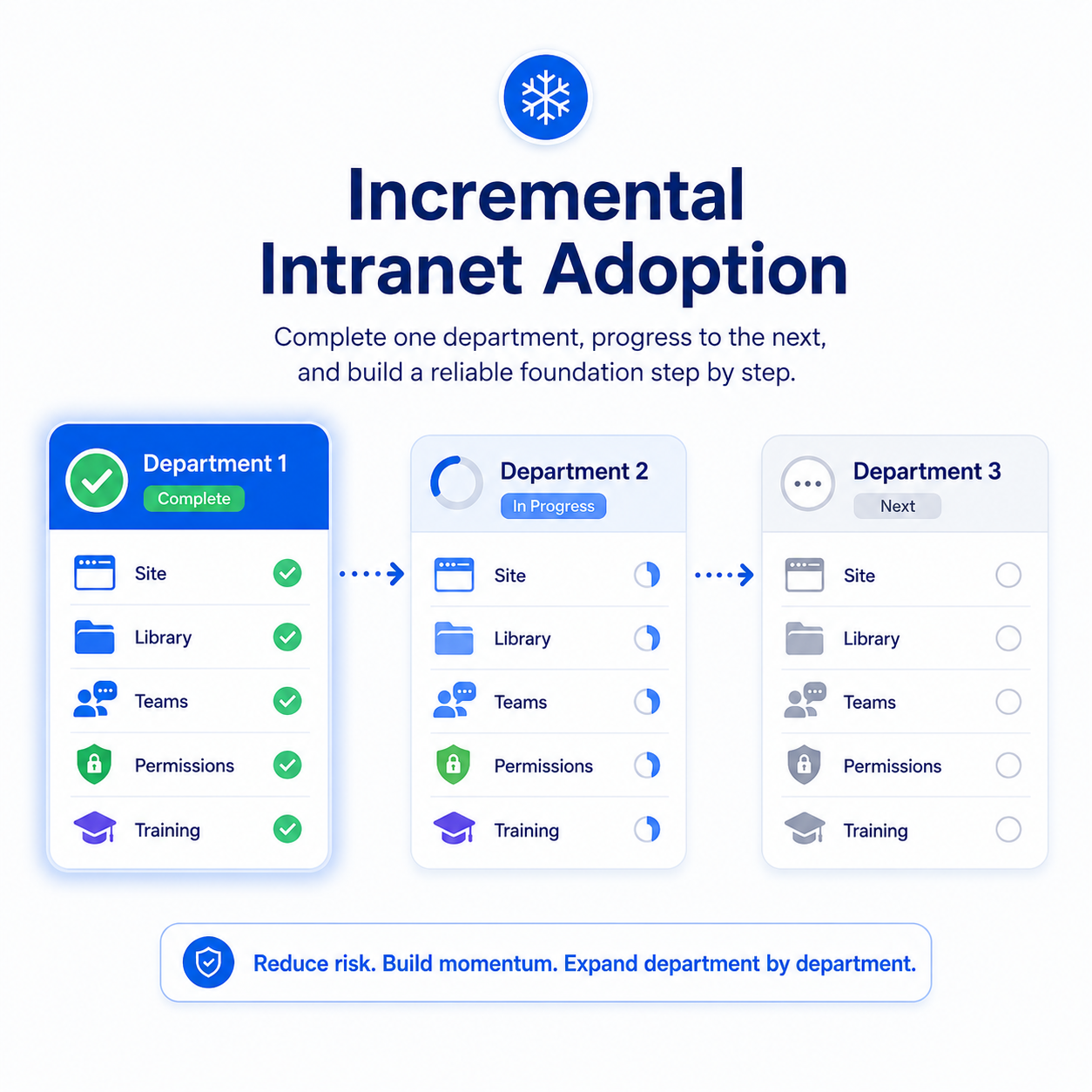
Build It One Department at a Time
A modern intranet does not have to be rebuilt all at once.
In many organizations, the better approach is to start with one department.
Choose a department where the need is clear, the documents matter, and management is willing to participate. Build that department’s structure properly. Define the site, libraries, Teams connection, permissions, forms, templates, calendars, and operating content. Train the department. Prove the model. Then repeat.
This avoids the failure pattern of large enterprise cleanup projects.
The company does not have to stop working. Legacy content does not have to be fully cleaned before progress begins. Employees do not have to wait for a perfect enterprise-wide redesign.
One department can become cleaner, easier to manage, and more AI-ready now.
That first department becomes the pattern for the next one.
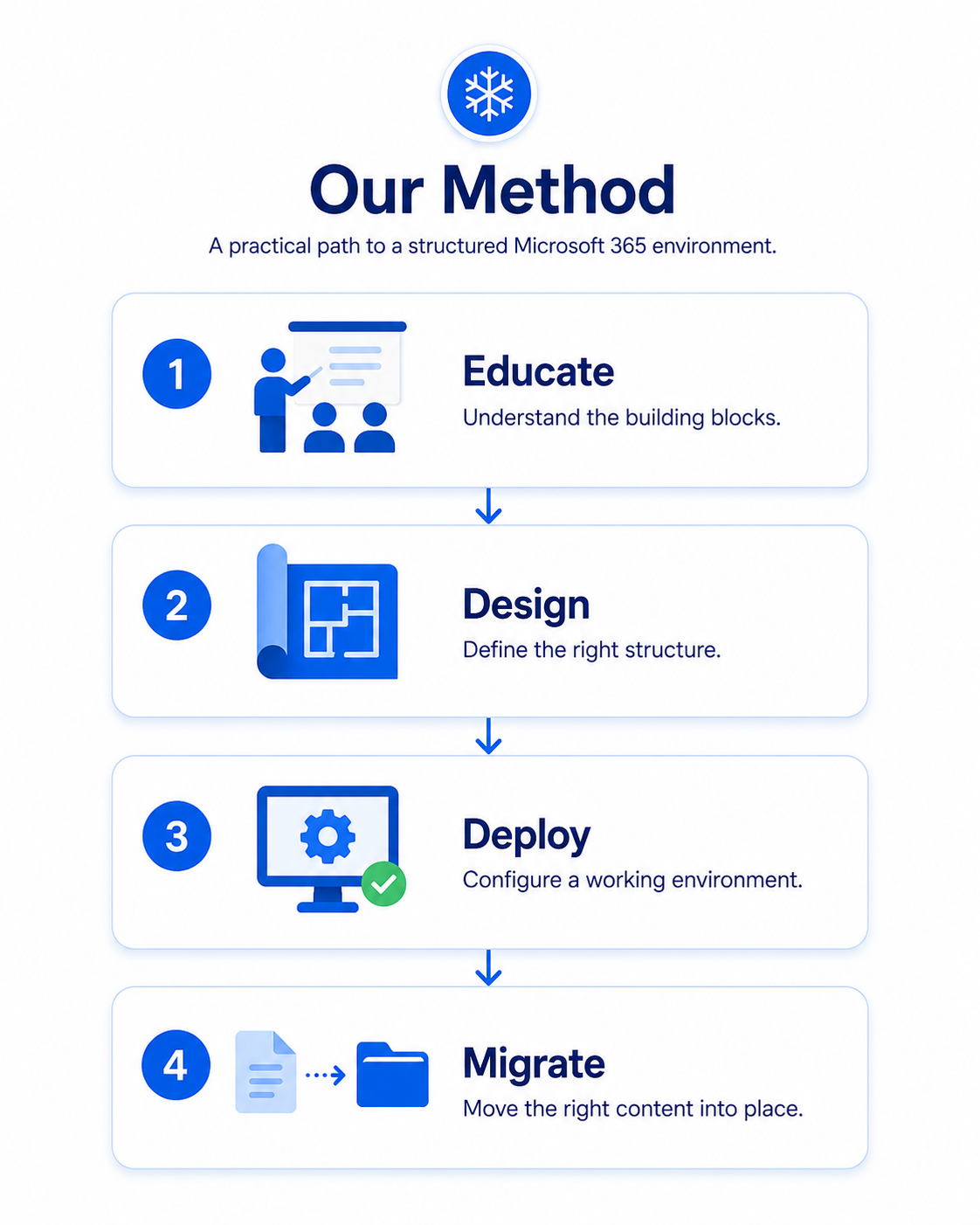
Our Method
Jack Frost Design helps organizations move from cloud storage and collaboration sprawl to structured Microsoft 365 operating environments.
Our method is simple.
Educate
We help leadership and department representatives understand the building blocks: SharePoint, Teams, OneDrive, Microsoft 365 groups, permissions, libraries, metadata, forms, task tools, and content ownership.
Design
We define the structure the department actually needs: sites, libraries, permissions, navigation, naming conventions, business content, and future expansion.
Deploy
We configure the environment so the department has a working Microsoft 365 structure, not just a theoretical plan.
Migrate
We help move the right documents into the right libraries with the right ownership and access.

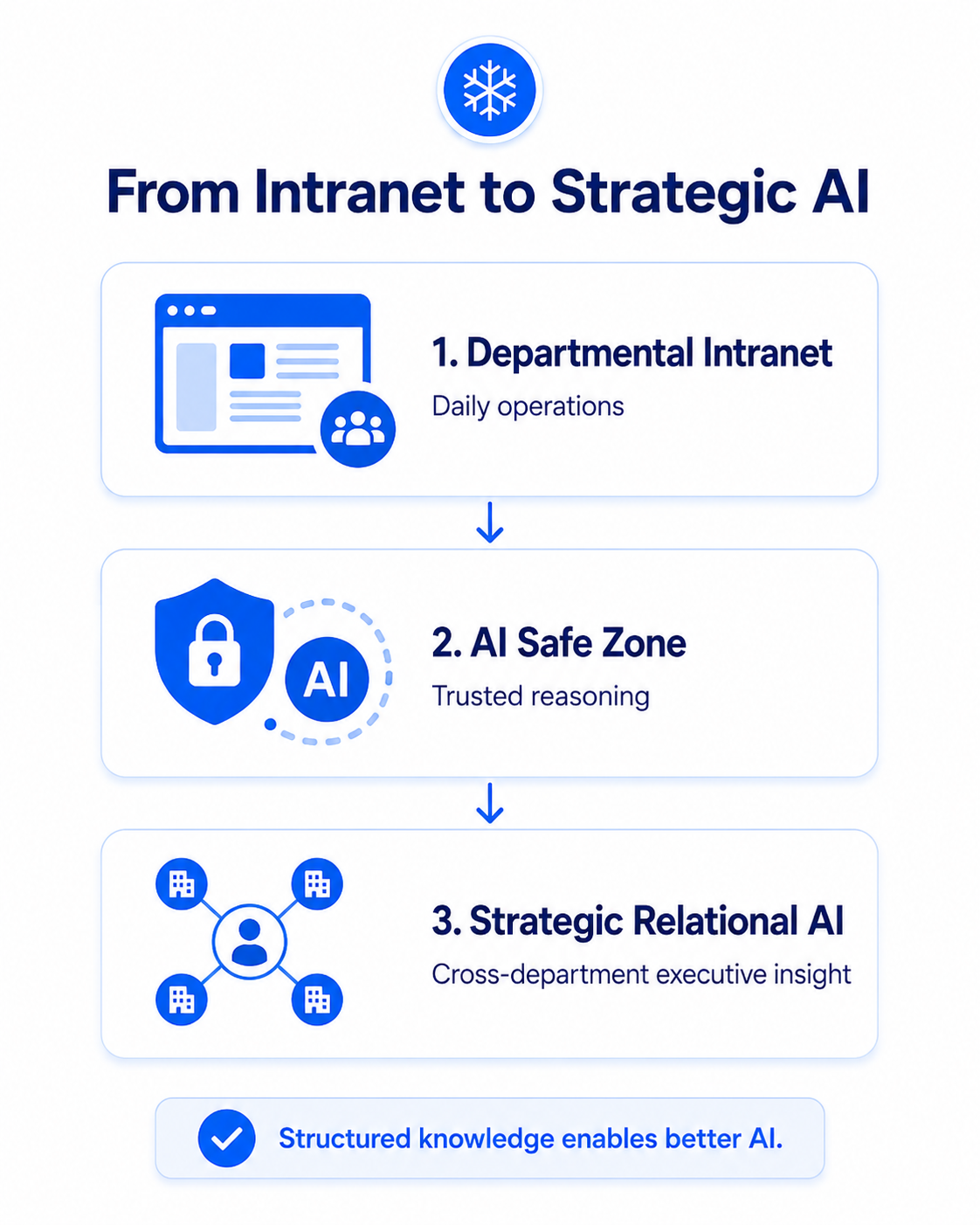
From Intranet to AI Safe Zones
A structured intranet improves daily operations.
AI Safe Zones improve AI reasoning.
The two ideas are connected.
A departmental intranet gives employees a practical place to work. An AI Safe Zone gives Copilot a curated place to reason. When a company already has clean departmental structures, governed libraries, and appropriate access boundaries, the path to reliable AI becomes much shorter.
That is why intranet design is no longer just SharePoint work.
In the AI era, intranet design is knowledge architecture.
It determines where trusted information lives, who owns it, who can access it, how it is maintained, and how AI can be directed toward it.
Start With One Department
You do not need to redesign your entire Microsoft 365 tenant before making progress.
Start with one department.
We can help you assess whether that department needs a structured intranet site, an AI Safe Zone, or both.
One department. One governed structure. One safer foundation for Microsoft 365 and AI.